The Glomo KYC Stack provides merchants with a comprehensive back-office interface to manage customer identity verification. It allows teams to initiate, track, and audit KYC journeys independently. Whether a merchant requires full automation via APIs or a manual dashboard-led workflow, the platform offers full visibility into every step of the verification funnel.
Centralized Compliance Panel: A dedicated "Compliance" section in the dashboard houses all KYC-related activities.
Granular Step Tracking: View real-time progress for individual checks, including DigiLocker Aadhaar, bank penny verification, selfie uploads, and sanction screening.
Merchant Branding: The customer-facing KYC flow is fully configurable to reflect the merchant's unique logo and color theme
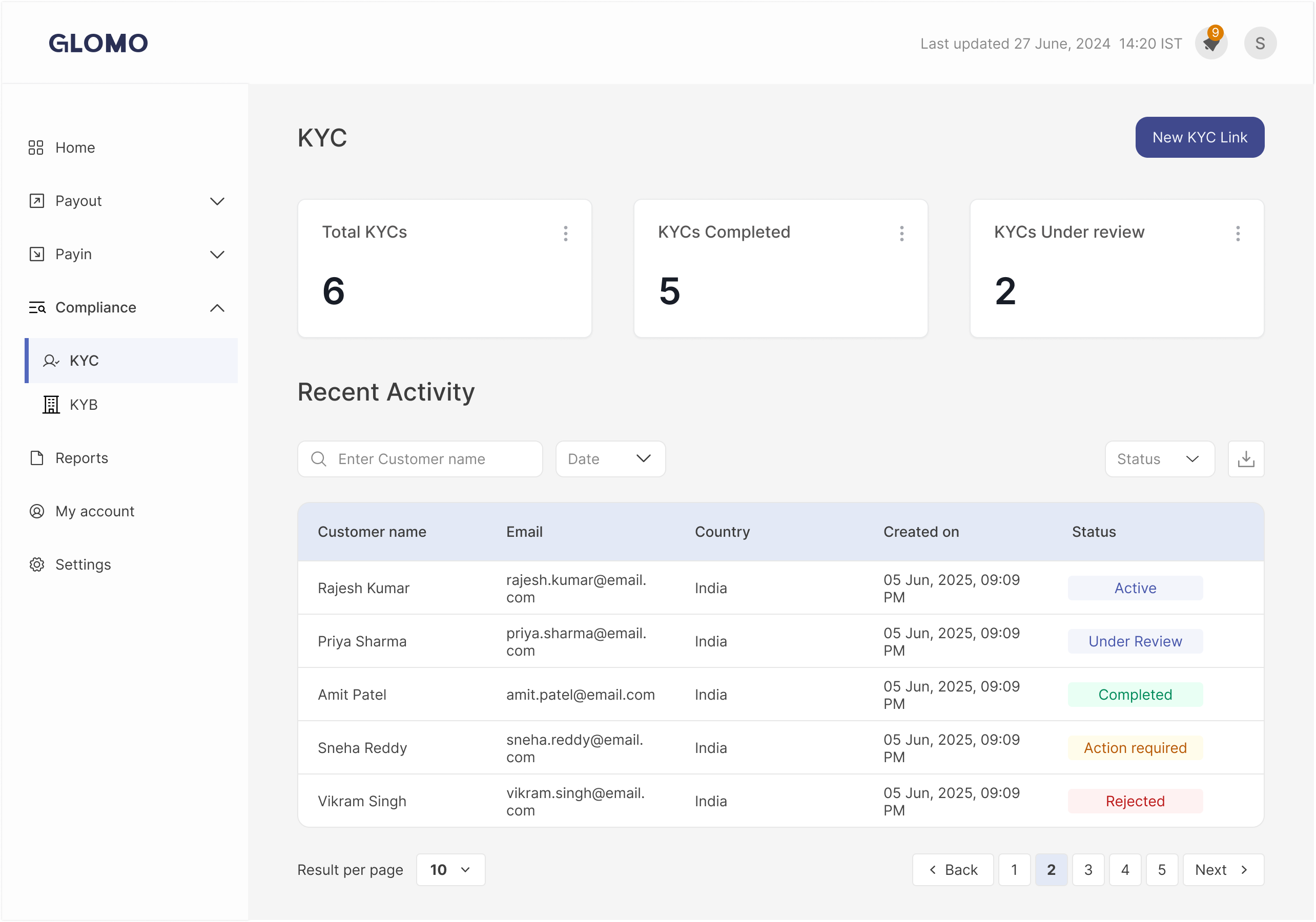
To initiate a verification request for a customer, follow these steps:
Go to the Dashboard. Navigate to the Compliance section and select KYC.
Click the "New KYC Link" CTA
Associate the link with a specific customer ID
Once submitted, a new KYC link is generated.
Once a link is active, the dashboard provides an audit-ready view of the customer's journey:
Recent Activity: View KYC attempts at the customer level under their profile.
The Tracker: Every step is timestamped in the KYC Tracker.
Status Indicators: Each sub-step (Selfie, Signature, Bank Validation) displays its specific state: Not Started, In Progress, Completed, Failed, or Requires Action.
For compliance auditing and reconciliation, Admin users can export data:
Select Date Range: Click "Download KYC Report" and specify the "From" and "To" dates.
Generate Summary: The system generates a CSV report containing attempt-level information and step-wise statuses for all customers.
| State | Description |
|---|---|
| Created | Link generated; customer has not yet accessed the journey. |
| In progress | Customer is actively completing steps |
| Completed | Terminal success state; all checks passed with no manual holds remaining. |
| Rejected | Terminal failure state; KYC has failed and cannot proceed. |
| Expired | The link has passed its configured validity window. |