Under Glomo’s Bharat Connect offering, brokers and investment platforms serving Indian resident individuals can now access a purpose-built payment solution for seamless global investing. Glomo enables effortless collection and outward remittance of funds for investments in global securities, ensuring full compliance with the Liberalised Remittance Scheme (LRS) regulations established by the Reserve Bank of India.
The offering includes robust SDKs and APIs, allowing brokers to easily integrate Glomo's solution into their platforms and securely collect funds from investors.

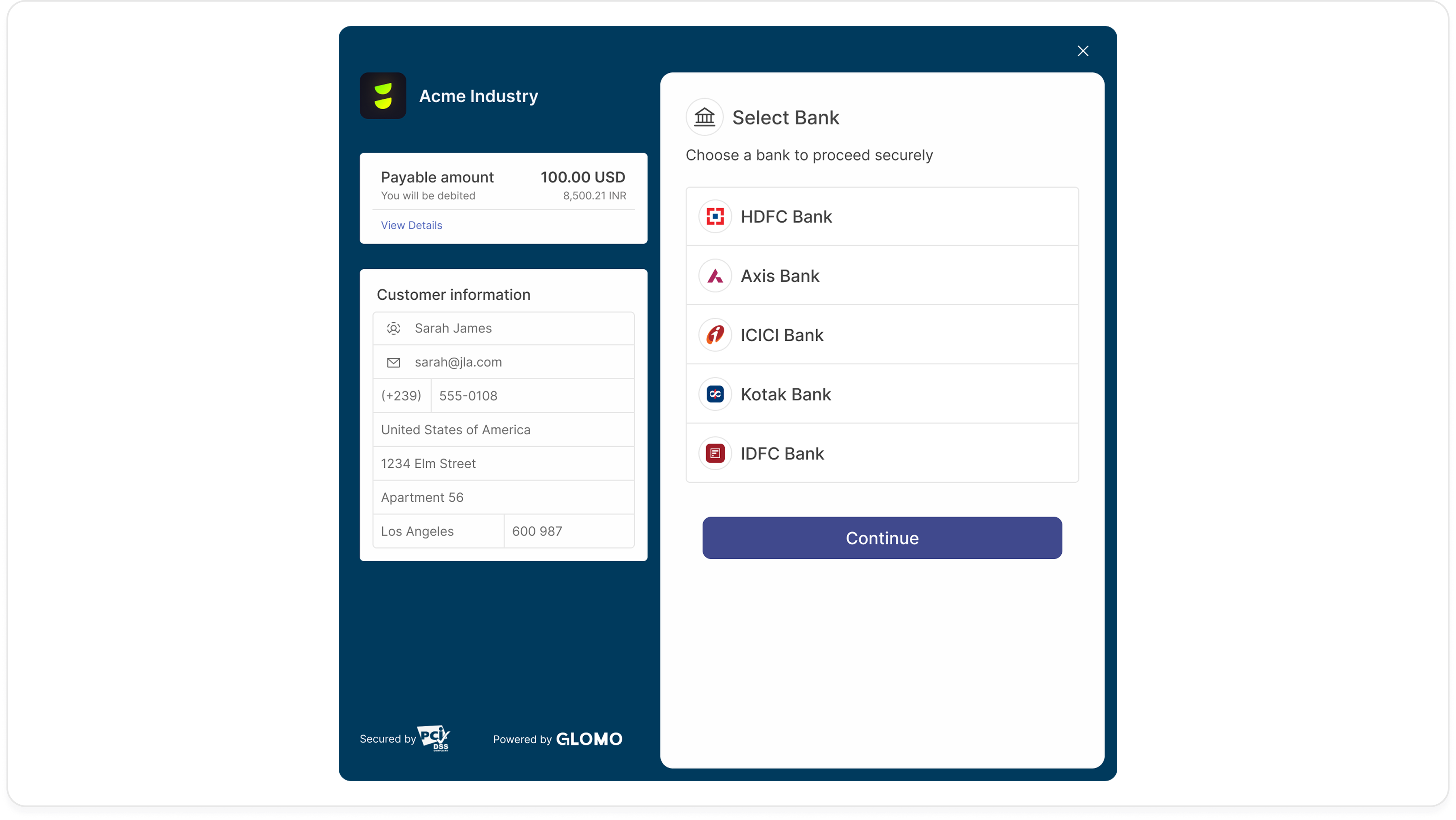
Before integrating, ensure you have the following:
- Glomo Merchant Account: Active account with API keys.
- Customer Details: Name, address, bank details, and PAN.
- HTTPS: A secure server endpoint for receiving webhooks.
As a merchant, you have the option to either collect the required bank account information to initiate an LRS payment yourself or allow Glomo to collect and securely store the information on your behalf. You can control this by passing or omitting the bank account ID in the order API.
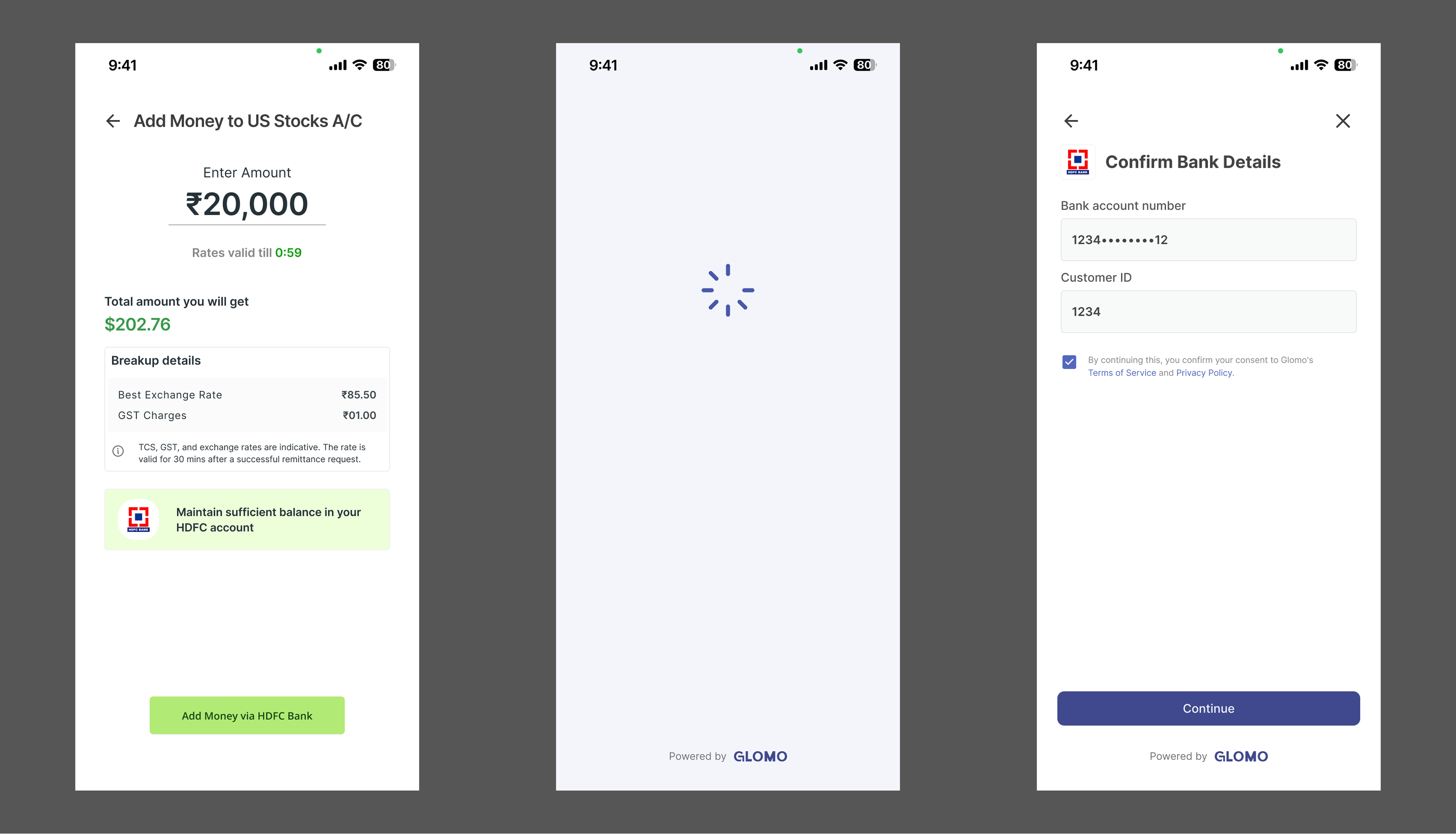
In this case, Glomo will prefill and display the bank account information to the customer, obtaining consent from the user on the applicable terms and conditions. The bank details are not editable for the user and are displayed to obtain confirmation and consent for the outward remittance. The screen from the SDK is shown below for reference.
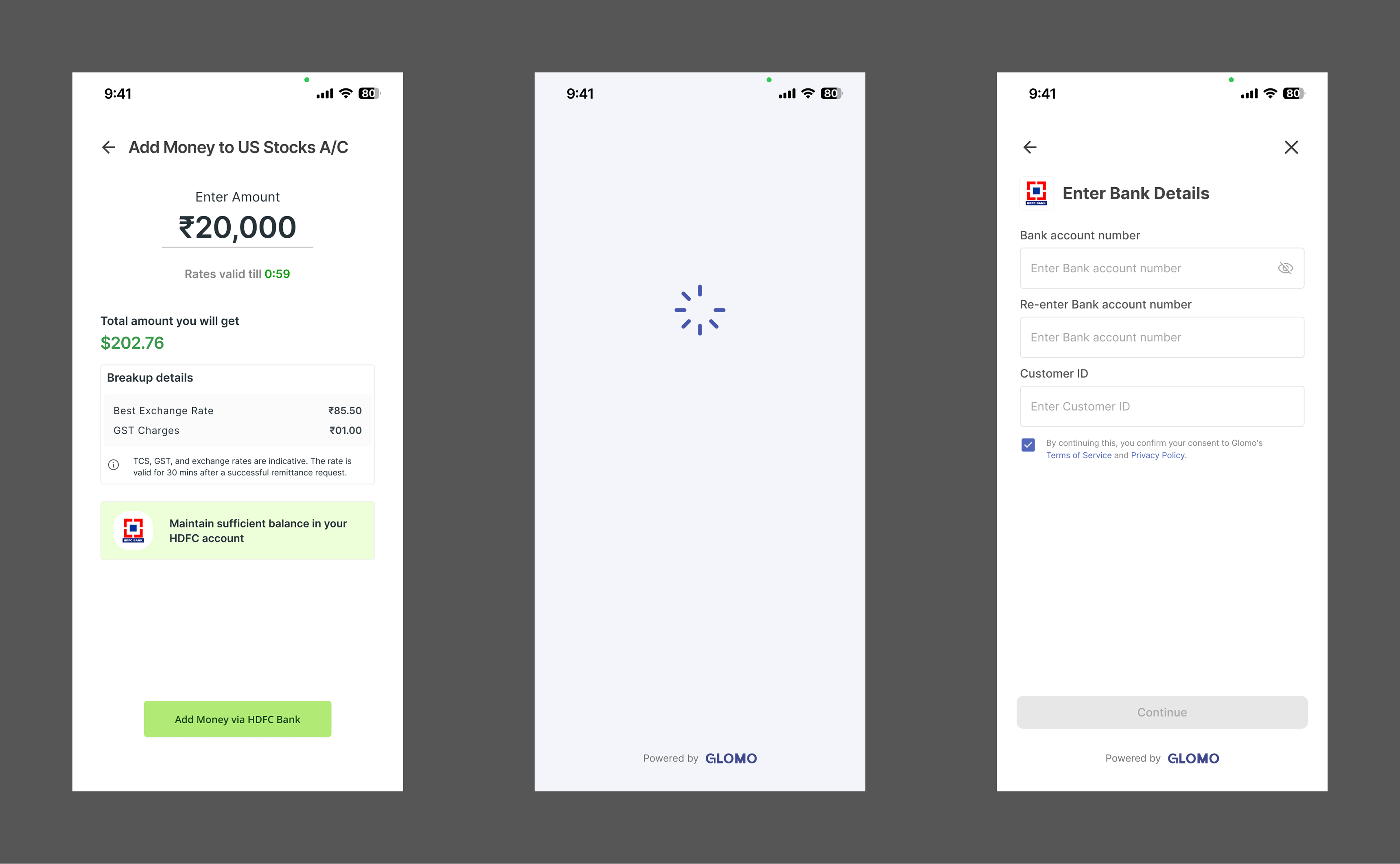
In this case, Glomo will collect the required bank account information from the customer to complete the outward remittance. The screens from the SDK are shown below for reference.
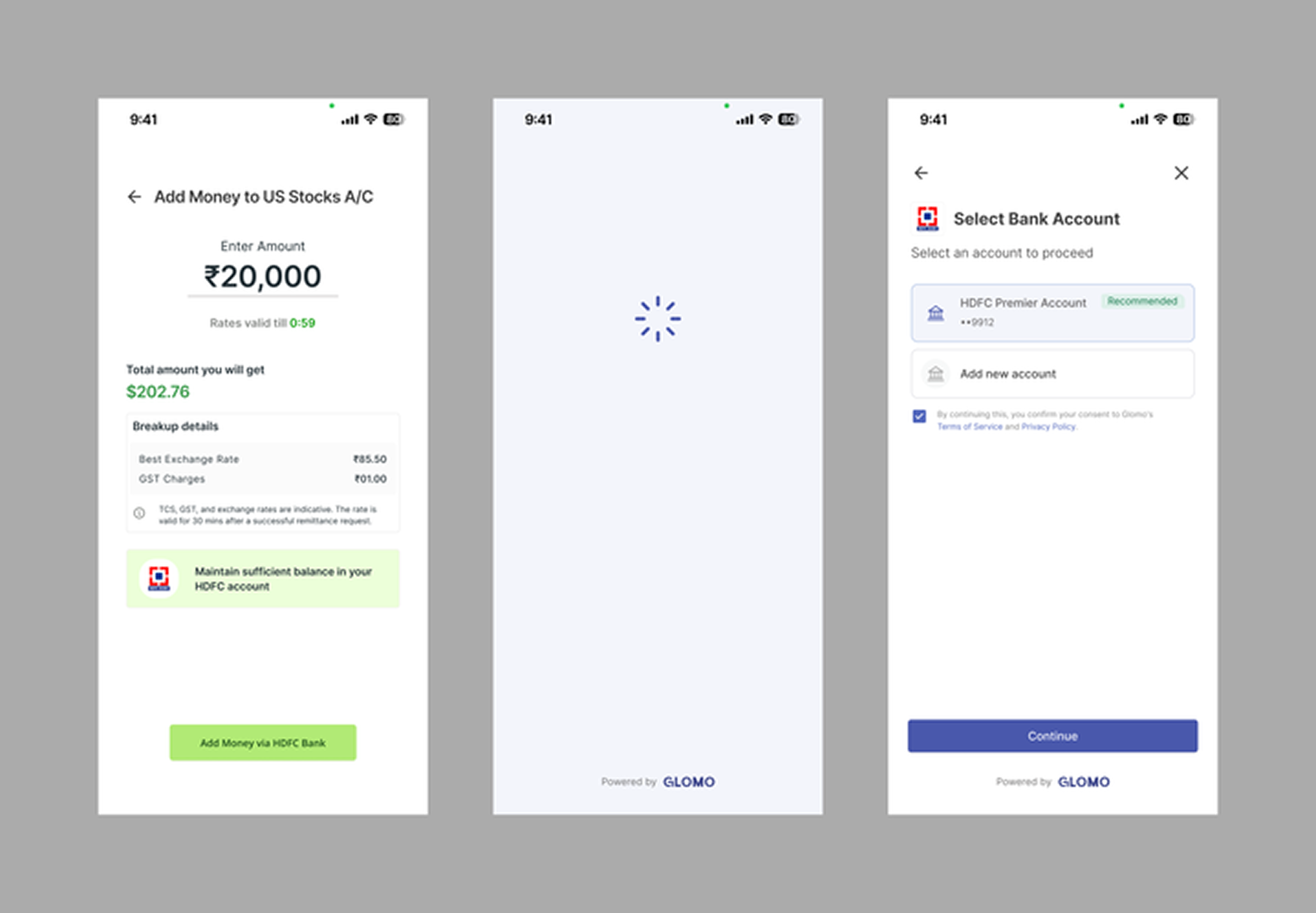
If the customer is a returning user who has already added a payment account in the past, Glomo will display that bank account as the preferred option for completing the payment. The customer can use the previously used bank account or use a new bank account to initiate the payment.
The various statuses of the order entity and their description are as given below.
| State | Description |
|---|---|
| Active | An order created will stay in this state until a successful payment is made or it expires. |
| Success | After a payment is authorised, the order moves to a paid state. This is a terminal state and no subsequent payment attempts will be allowed. |
| Expired | The order has expired without a successful payment being created. |
The various statuses of the payment entity and their description are as given below.
| State | Description |
|---|---|
| Created | Indicates that the customer has started the payment journey. |
| In Progress | Payment request has been sent to the downstream system, and a response is awaited. |
| Success | The payment has been successfully processed by the bank. Funds may not be added to balance at this stage. |
| Action Required | Additional information is needed to process the payment. |
| Failed | The payment could not be processed successfully. |