For payouts, RFI documents can currently be submitted only through the Merchant Dashboard. There is no API available to upload payout RFI documents at this time.
You can upload the requested documents directly from the Merchant Dashboard.
When a payout's risk checks aren't cleared, it moves to the action_required state and you'll receive a notification via email and on your Glomo dashboard. The payout details page shows the Action Required status, and the payout tracker explains why the payout needs your attention.
A payout can enter action_required before an RFI is raised. Our risk analyst first reviews the payout and then raises the RFI, so there may be a short wait between the payout moving to Action Required and the requested documents becoming available to upload.
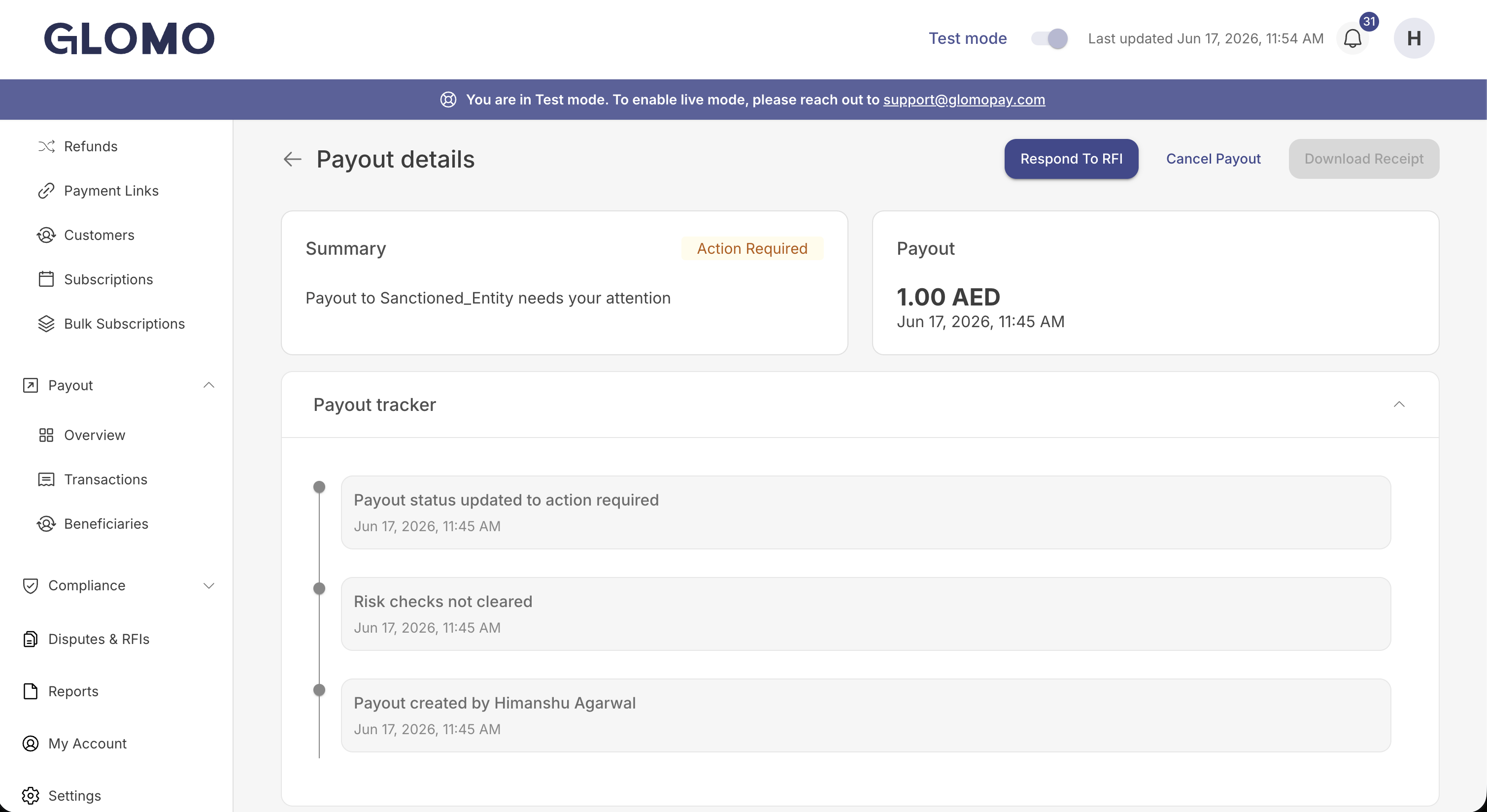
The Respond to RFI button is shown only once our risk analyst raises the RFI. Wait for it to appear before attempting to upload any documents.
Open the payout and click Respond to RFI. The dashboard lists the documents being requested and provides an upload field for each.
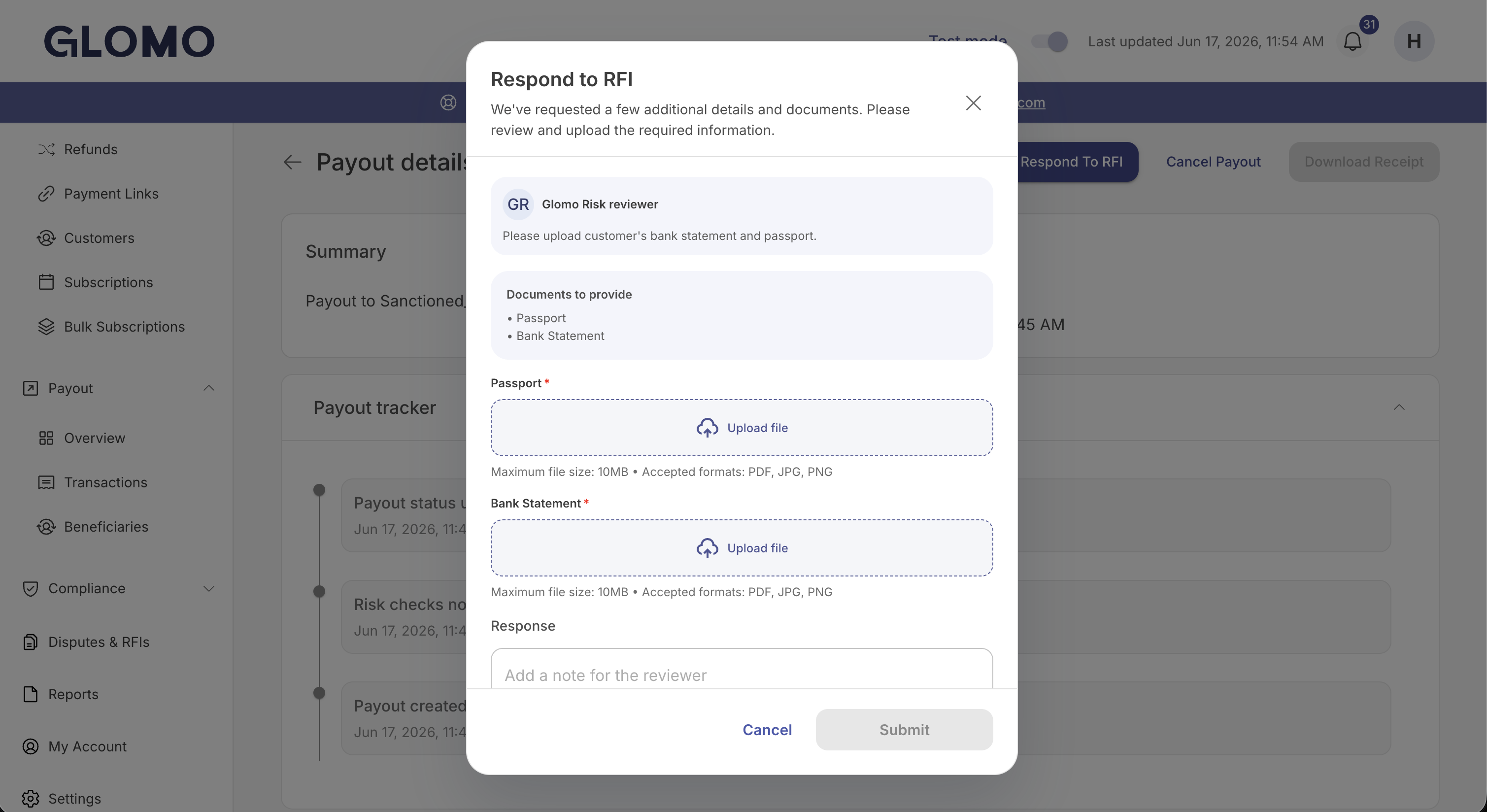
Attach a file for each requested document, add an optional note for the reviewer, and click Submit. You'll see a confirmation that the documents were submitted successfully.
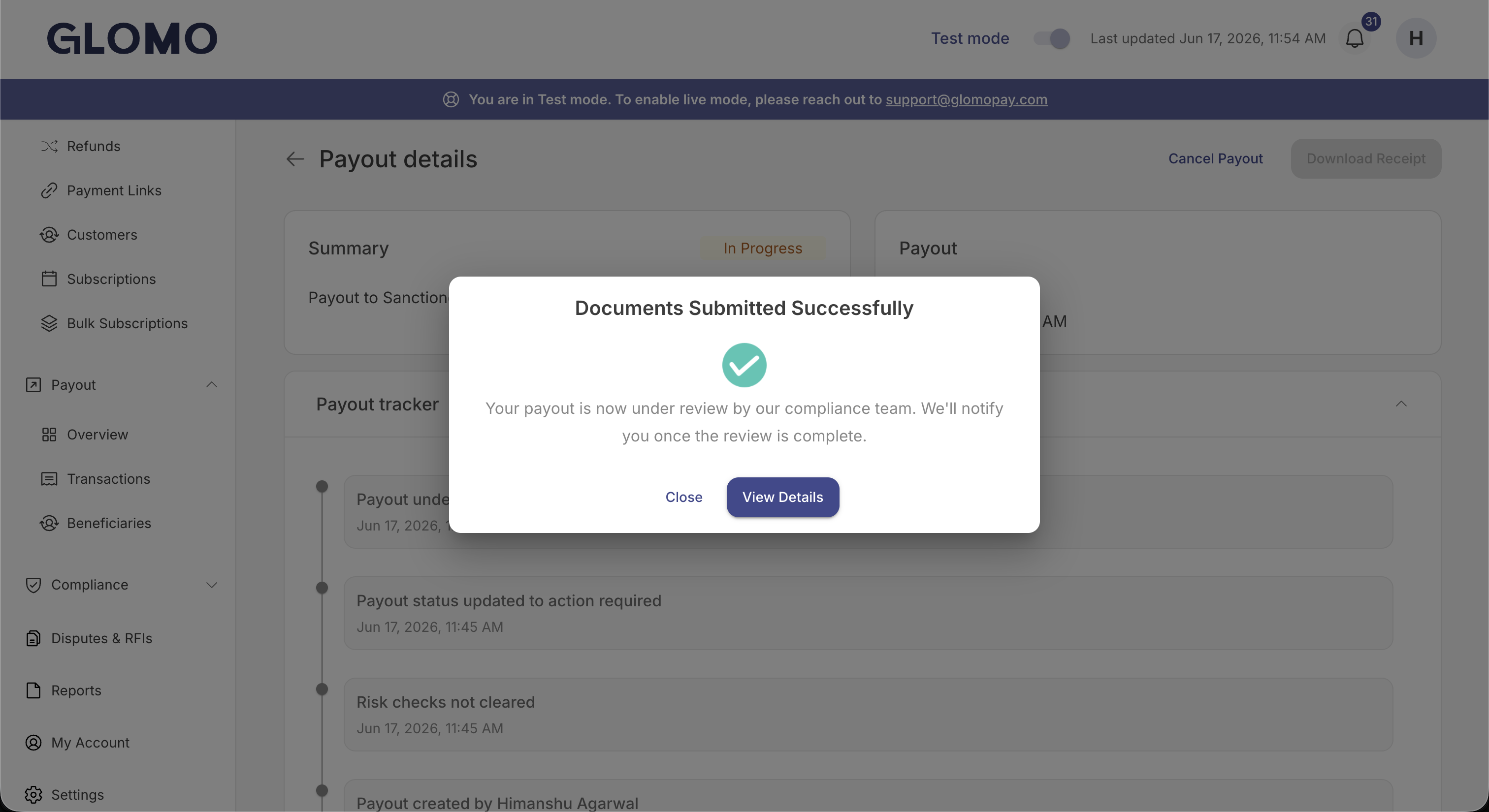
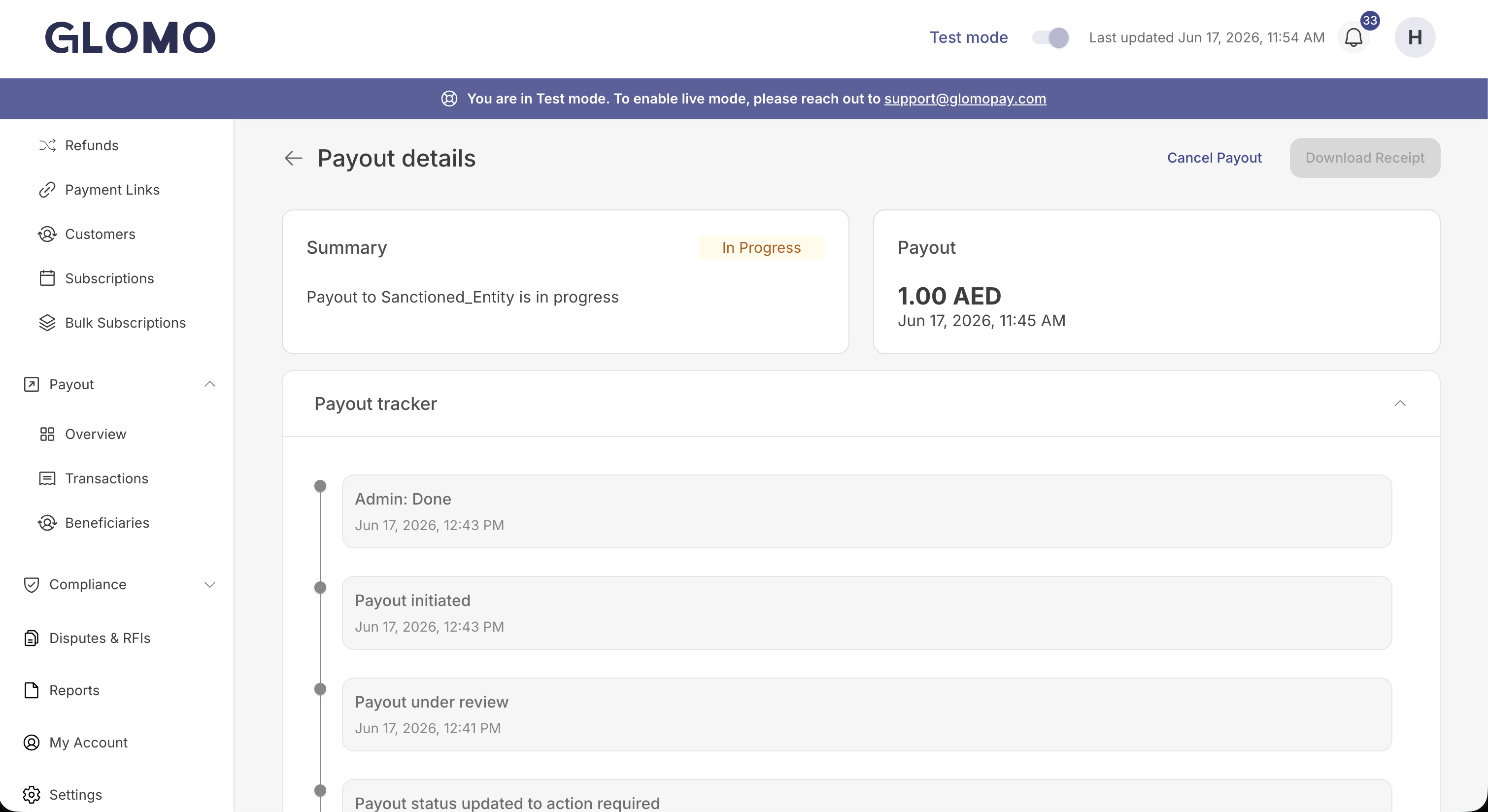
While the compliance team reviews your documents, the payout returns to the In Progress state and the payout tracker shows a Payout under review entry.
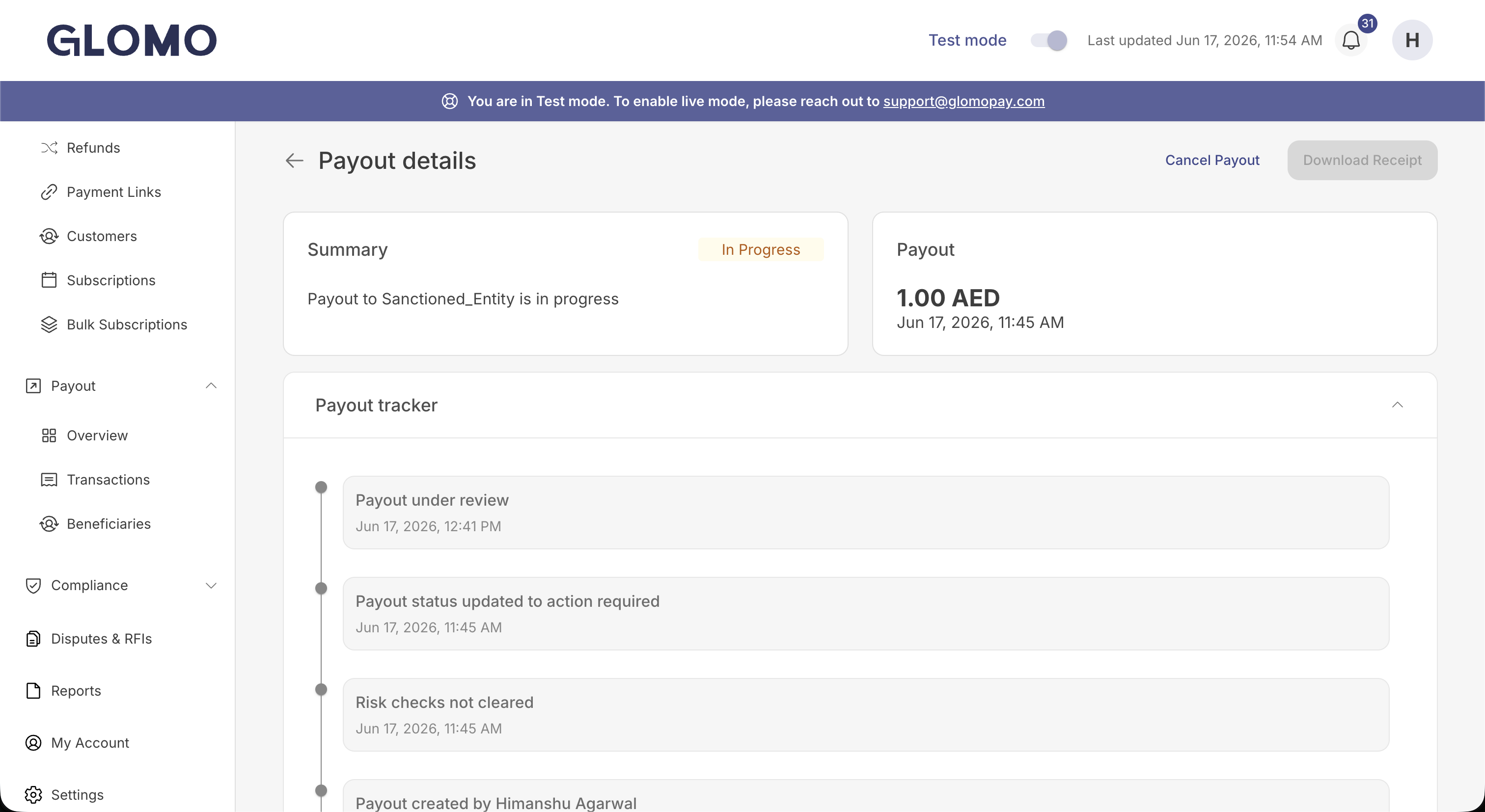
After the compliance team clears the submitted documents, the payout resumes processing automatically and continues toward Success. The payout tracker reflects each step, and the final outcome is also shared via callback/webhook.
For the full payout state progression, see Action Required State.